FtSwarmPixel
The ftSwarm has two built-in RGB LEDs that indicate the operating status of the controller. However, the LEDs can also be switched by the control program. Up to 16 additional ftPixels can be connected to the LED port externally.
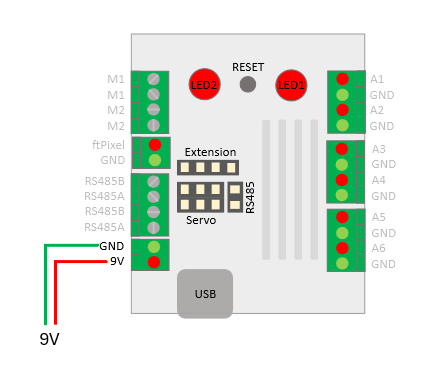
Additional ftPixel can only be connected to ftSwarmJST, ftSwarmRS and ftSwarmRC.
#include <ftSwarm.h>
#include <FastLED.h>

FtSwarmPixel *led1;
FtSwarmPixel *led2;

void setup( ) {

  Serial.begin(115200);

  // start the swarm
  FtSwarmSerialNumber_t local = ftSwarm.begin( );

  // get led instances
  led1 = new FtSwarmPixel( local, FTSWARM_LED1 );
  led2 = new FtSwarmPixel( local, FTSWARM_LED2 );

}

void loop( ) {

  Serial.println("colors...");
  led1->setColor( CRGB::Blue );
  led2->setColor( CRGB::Cyan);
  delay(500);
  led1->setColor( CRGB::Red);
  led2->setColor( CRGB::Orange);
  delay(500);
  led1->setColor( CRGB::Green);
  led2->setColor( CRGB::Yellow);
  delay(500);

  Serial.println("brightness");
  for (uint8_t i=64; i!=0; i-=16) {
    led1->setBrightness(i);
    delay(500);
  }

  led1->setBrightness(64);

}
The firmware uses internally the FastLED library. The import #include “FastLED.h” is needed to access the FastLED color definitions like CRGB::Blue. To set the LEDs, we use the commands setColor and setBrightness. setColor expects a uint32_t as color [0..0xFFFFFF] and setBrightness needs a uint8_t. 255 is maximum Power, using 0 sets the LED off.
In older versions, the brightness could only be set for all LEDs. Starting with version 0.7.0, the brightness can also be set for individual LEDs.
Keep in mind, RGB LEDs need a lot of power. Setting a led to CRGB::White and maximum brightness, this LED has a power consumption of 60mA. Two LEDs with maximum power will need about the same power as the ESP32 Chip with wifi. Reducing the brigthness to a value between 16 and 64, the power consumption will be reduced to 6%..25%.