Swarm Settings
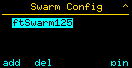
Here you can connect the individual controllers of your model to each other and form the swarm. In the swarm menu, all controllers in the swarm are displayed:
Adding a Controller
With Add or S1, you can add another controller to the swarm. For this, you must enter the controller’s serial number:
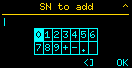
The controller must be on the same Wi-Fi network and must not be connected to another swarm.
Removing a Controller from the Swarm
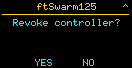
With Del button or S2, you can remove the selected controller from the swarm:
PIN
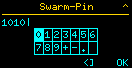
Each swarm has a PIN. You can use it to log in on the Wi-Fi status page to manually turn motors on and off, for example. By default, the PIN is the Kelda serial number and can be changed here: